Star Sailors Beginner Guide
Star Sailors launched globally on 2026-06-30, and this guide covers what a new commander actually needs to know in the first hour: what your device needs to run it, how the account system works, what the launch recruitment promo gives you, and the handful of named systems (Link, Sweep) worth understanding early. Where the official game listings and press coverage don't fully agree, or where a claim comes from a single outlet, we say so plainly rather than smoothing it over.
Platforms and device requirements
Star Sailors is a free-to-download mobile game available on iOS and Android — there is no Steam release, no console version, and no PC client of any kind. The App Store listing specifies iOS 15 or later, and the Google Play listing specifies a Snapdragon 845 chipset (or comparable) with at least 4GB of RAM as the practical minimum for a smooth experience.
The game ships with eight interface languages at launch: Korean, English, Japanese, Simplified Chinese, Traditional Chinese, Thai, Vietnamese, and Indonesian. Global availability explicitly includes South Korea; one outlet reports mainland China is excluded, but that's a single-source claim, uncorroborated elsewhere — treat it as provisional.
Age ratings differ slightly by store: Apple lists Star Sailors as 13+, while Google Play lists it under a "Teen" rating citing mild fantasy violence and suggestive themes. Both stores confirm the app itself is free to download; see our monetization guide for what costs money after that.
Setting up your account: guest play and Hive
Press coverage describes Star Sailors as using Com2uS's "Hive" account platform: a guest-account option at first launch, with an optional email/Hive link you can add later. Neither storefront listing spells this out directly, so treat the Hive integration as reported rather than officially documented in exact detail.
Guest progress typically lives on that one device only, so link an email or Hive account early if losing progress would bother you — we can't point to an official support page confirming the exact recovery mechanics, but that's the standard, low-risk move for this kind of system.
Your launch recruits and the introductory promo
Star Sailors' own App Store "What's New" notes (version 1.0.19) confirm a launch recruitment promotion: new players can recruit 2 guaranteed top-tier Partners plus 16 bonus Partners — a strong first-party starting position, confirmed directly rather than reported.
Separate press coverage puts the total roster at launch at 16 Partners, 10 of which are free through normal play. That's a different "16" from the 16 bonus Partners in the promo above — we can't confirm whether the two sets overlap, are identical, or are entirely separate, so don't assume the promo hands you the full roster. A separate "23 Partners" figure also circulates from a single, less-corroborated source; we use the press-reported 16 here and flag the other as unresolved.
Six Partners are named anywhere in official or press material as of launch: Nina Stingblade, Princess Jen, Quarter Rest Dora, Mui, and Heidi Underborn all have names, taglines, or dedicated marketing (site listings, an event page, a character trailer) behind them; a sixth, Caroline, has surfaced only as a name and SSR-rarity callout on a single gacha-banner screenshot, with no tagline, class, or bio published anywhere yet. See our game systems guide and individual character pages for what's actually confirmed about each; the rest of the launch roster exists but isn't publicly documented yet, so we're not going to invent names or stats for it.
Recruitment as a story beat: the "Photo Mode" angle
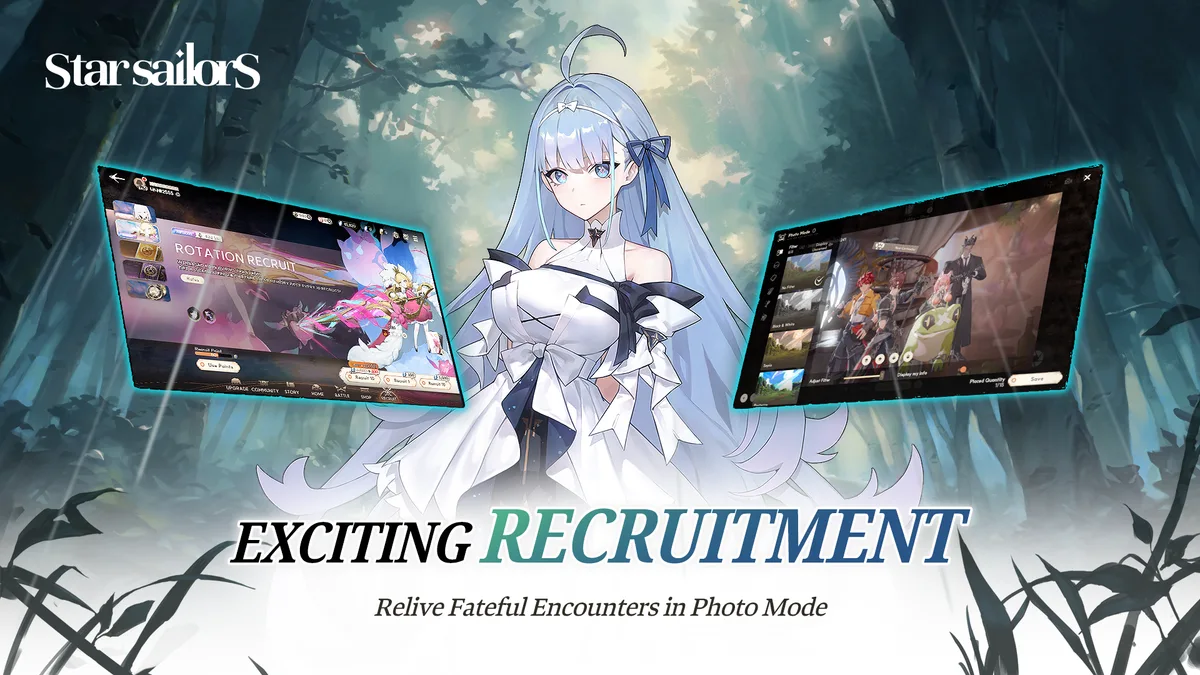
Star Sailors' own promotional gallery on the official site includes a banner reading "EXCITING RECRUITMENT — Relive Fateful Encounters in Photo Mode" — official marketing copy, not press paraphrase. It signals that recruiting a Partner is framed in-game as a narrative "encounter" moment with a companion Photo Mode, rather than a bare stat roll: don't be surprised if your first pull triggers a short scene rather than just a banner animation.
Neither the official site nor either storefront explains how Photo Mode actually works — whether it's a dedicated screenshot/pose tool, a cutscene replay gallery, or tied to specific rate-up banners isn't documented anywhere official yet, so treat its exact mechanics as unknown until Panana Studio or Com2uS say more.
The Link system: deploying new Partners mid-run
Link is one of Star Sailors' named systems, confirmed on both the App Store and Google Play listings: it lets you deploy a newly recruited Partner immediately, rather than benching them until your next run or stage reset. For a beginner, the practical effect is that pulling a new Partner from the launch promo (or any later banner) doesn't waste a run — you can slot them in and start using them right away.
The official listings name Link alongside a short list of other systems — Break, Burst Chance, and a Classes/Monsters/Anomalies combination system — without going into granular mechanical detail on any of them. We cover what's actually confirmed about each of those in the game systems and mechanics guide rather than repeating it here.
Using Sweep to skip repeat fights
Sweep is also confirmed directly by name on both storefront listings, described as a way to skip repetitive grinding. For new players, this is the tool you'll want once you've already cleared a stage or fight cleanly at least once — it lets you claim the same rewards again without manually replaying the same encounter.
Beyond the name and stated purpose, the official listings don't publish specifics like ticket costs, unlock requirements, or which content types support it — that's not something any first-party source has published yet, so we're leaving it blank rather than guessing.
A cautious note on team composition
One community source (not an official Com2uS or Panana Studio channel) describes Star Sailors teams as built from one main character — your Adventurer — plus 2 Battle Partners, 2 Assist Partners, and 1 Monster Partner, with only the front three units actually fighting. As of this update, that same specific breakdown has been echoed independently by multiple other third-party guides too — stronger corroboration than a single source, but still short of an official confirmation, so treat it as a likely-accurate mental model rather than a rulebook.
If you're building your first team, lean on whichever launch-promo Partners feel strongest in practice and adjust as the game teaches you its own combat framing, rather than optimizing hard around a structure Star Sailors itself hasn't confirmed.
What a first-hour team actually looks like on screen
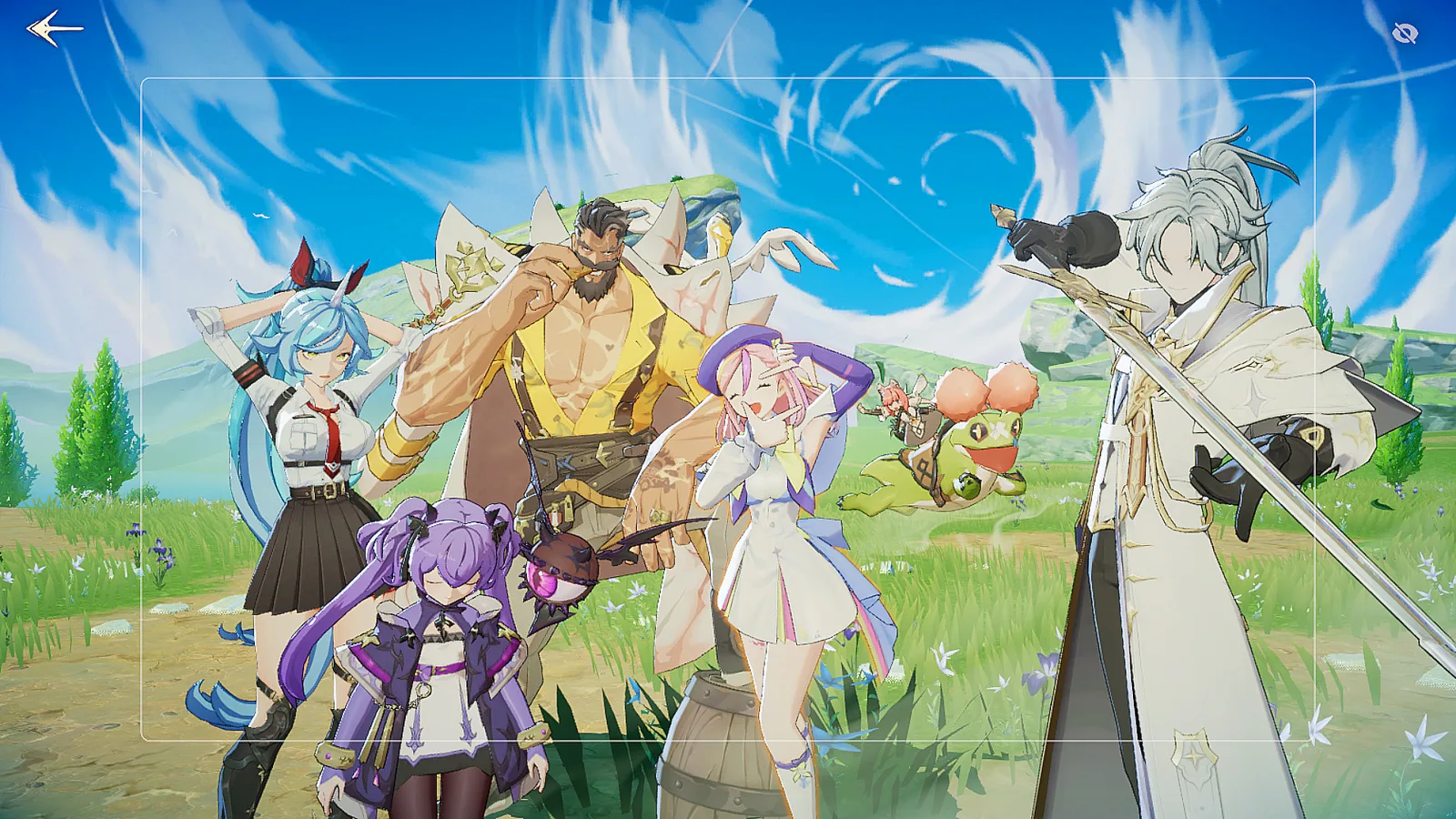
An official App Store/Google Play screenshot (shared across both listings) shows a party of Partners standing with the Adventurer out in a field, rendered in the game's in-engine 3D model style rather than the painted key art used on marketing banners elsewhere — no caption, character names, or marketing text overlaid. It's a useful reality check for what to expect after the launch promo above: a small cluster of characters gathered together, consistent with Star Sailors' own tagline of "gathering and growing characters ... to challenge dungeons & bosses," not a huge crowd.
The screenshot doesn't label which model belongs to which named Partner — it's a group standing together, not a formation you can match to specific characters by name.
What to spend your early Prism on
Prism is Star Sailors' confirmed premium currency, sold through the official web store (Rob's Secret Shop) and delivered to your in-game mailbox. In-app purchase tiers on the App Store run from $0.99 to $19.99 across ten price tiers, while Google Play's own listing states a wider $0.99–$99.99 per-item range. Neither storefront nor the official site publishes a rate-disclosure page or spending guidance, so anything more specific is general gacha-genre judgment, not a confirmed Star Sailors strategy.
That genre-wide judgment: save early premium currency for a deliberate pull once you know what a strong Partner looks like in this game, rather than spending it piecemeal on convenience items. Star Sailors hasn't published pity thresholds or drop rates as of launch, so we can't give you a specific number to save toward — treat any exact savings target you see elsewhere, including on this wiki, as speculation.
Frequently Asked Questions
Is Star Sailors free to play?
Yes. Both the App Store and Google Play list Star Sailors as free to download, with in-app purchases (Prism and IAP tiers from $0.99 up) available afterward. See our monetization guide for what's actually confirmed about pricing.
Is my progress account-bound?
Press coverage reports Star Sailors uses Com2uS's Hive account platform with an optional email/Hive link, but Com2uS and Panana Studio haven't spelled this out directly. Treat it as reported, and link an account early if losing progress would bother you.
Do I need a Hive account to play?
According to press coverage, no — a guest-account option is available at launch, with Hive/email linking offered as an optional add-on. This comes from secondary sources, not an official Com2uS support page, so treat it as reported.
Is there a PC version of Star Sailors?
No. The official App Store and Google Play listings only cover iOS and Android; there is no Steam release, no console version, and no official PC client.
Can I skip the tutorial in Star Sailors?
We haven't found any official statement, on either storefront listing or the official site, addressing whether a tutorial skip option exists. Press coverage doesn't mention it either. Treat this as genuinely unknown rather than assuming one way or the other until we can point to a source.
Does my progress carry over if I switch devices?
Not explicitly confirmed. Reported Hive/email linking (see the account section above) is the standard mechanism for carrying progress to a new device in games built this way, but no official Star Sailors source spells out the exact cross-device sync behavior — link an account if switching phones is a real possibility for you.
What is "Photo Mode" in Star Sailors?
Confirmed by the official site's own promotional gallery banner, "EXCITING RECRUITMENT — Relive Fateful Encounters in Photo Mode." That confirms the feature exists and is tied to recruiting new Partners; its exact mechanics beyond that headline phrase aren't documented anywhere official yet.
Last updated 2026-07-02